Website
Free
No account, no card, always.
- All the game data, patch by patch
- Every tool in your browser
- Works on a phone or a second PC
Damage, shields, hull, cargo and every part, read from the game’s own files. Click a ship to open it in the Ship Loadout Bay.
Loading ships…
Every number is free on this website with no account. Anything we could not read from the game files is marked as an estimate in the Bay.
H.U.D Manager is an unofficial overlay for Star Citizen. Press one key and a panel opens over the game: how long a fight lasts, what a loadout costs, which contract pays, where a trade run is worth it. The numbers come from the game’s own files.
Free for 14 days, no credit card. A free tier stays after that.
Unofficial. Not affiliated with Star Citizen or Cloud Imperium Games.
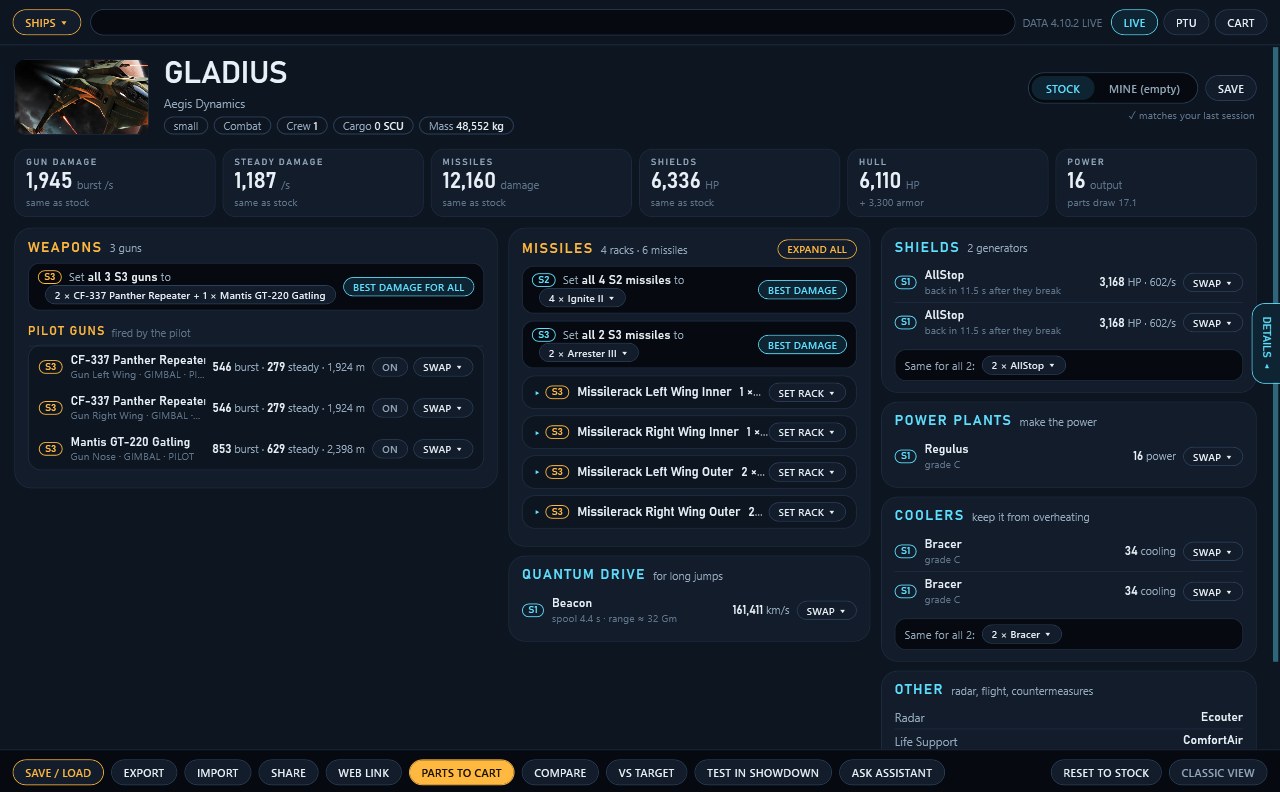
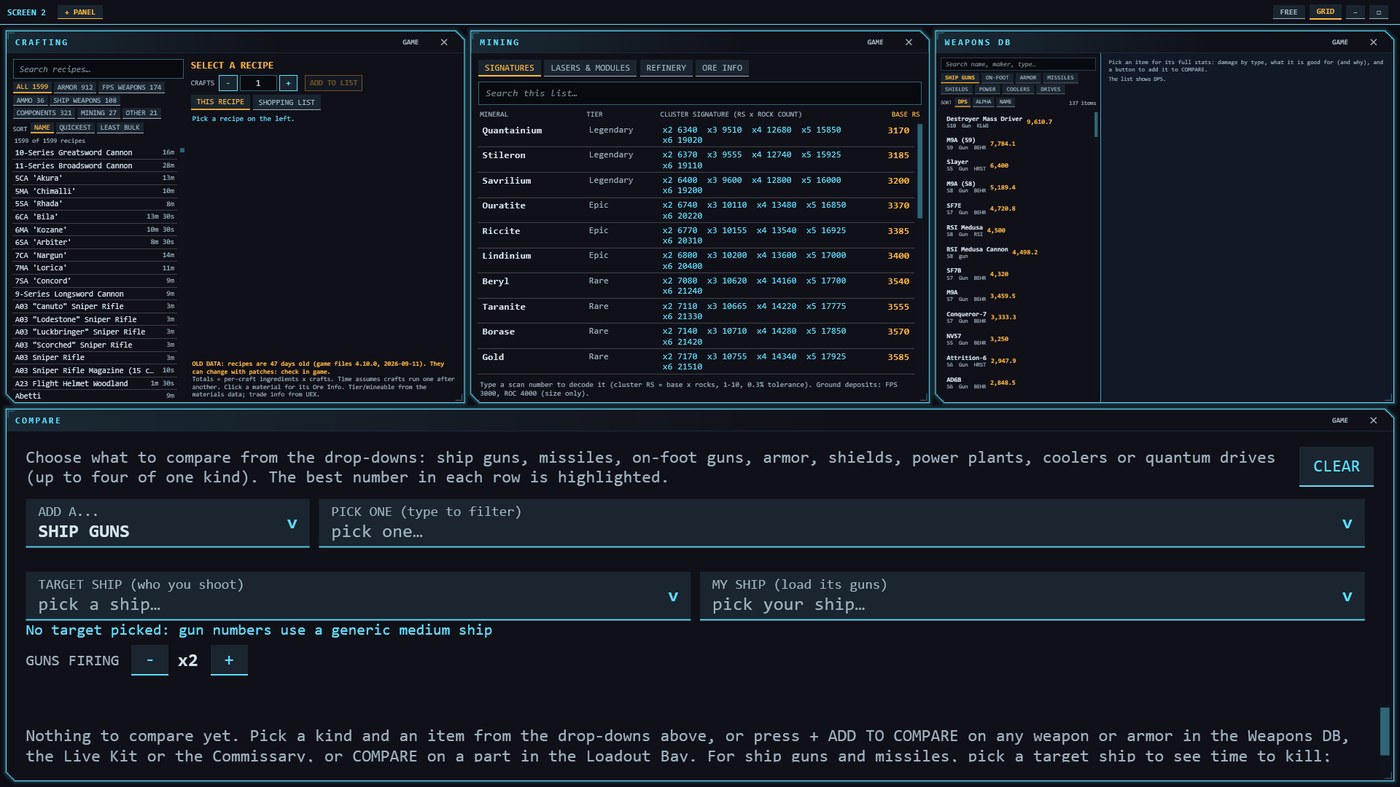
These are screenshots of the overlay itself, not mock-ups.
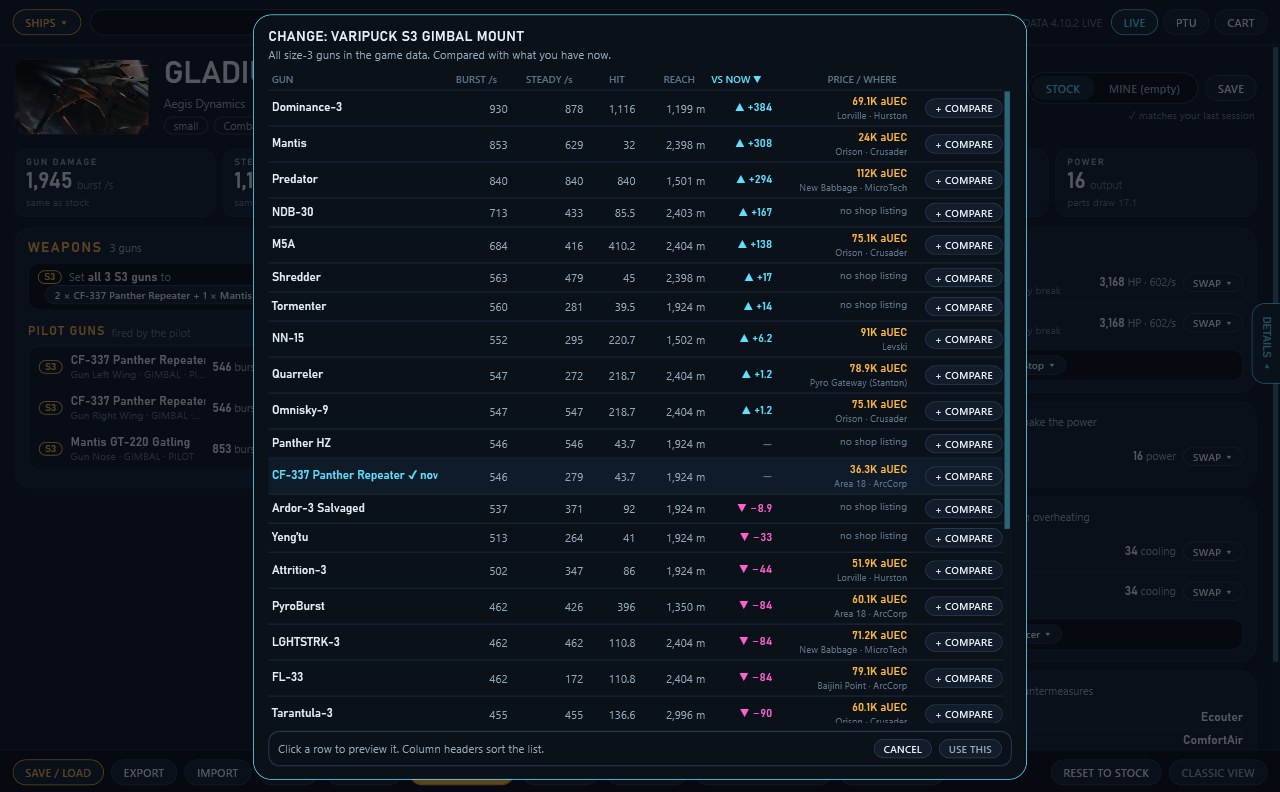
Every gun, missile rack, shield, power plant and cooler is on screen with a swap button. Change a part and the totals show what moved from stock.
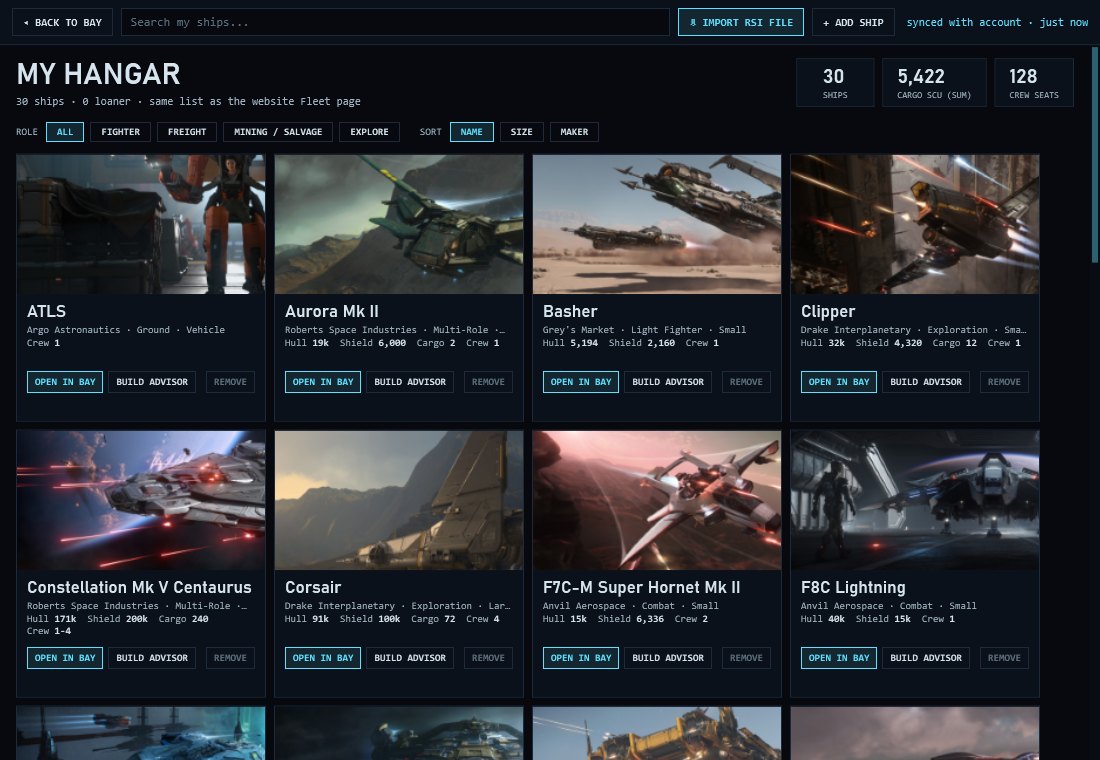
The ships you own, as cards with hull, shield, cargo and crew. Bring them in from the file your RSI account exports, and open any one in the Bay or the Build Advisor.
Shield values come from the game files. Armor and hull rules are not verified, so those parts are labelled as estimates on screen.
Keep the game on its screen and send panels to the others. Each extra monitor gets a strip with a list of every tool and a choice of free layout or grid. Hold your menu key, move the mouse across, and work there without tabbing out.
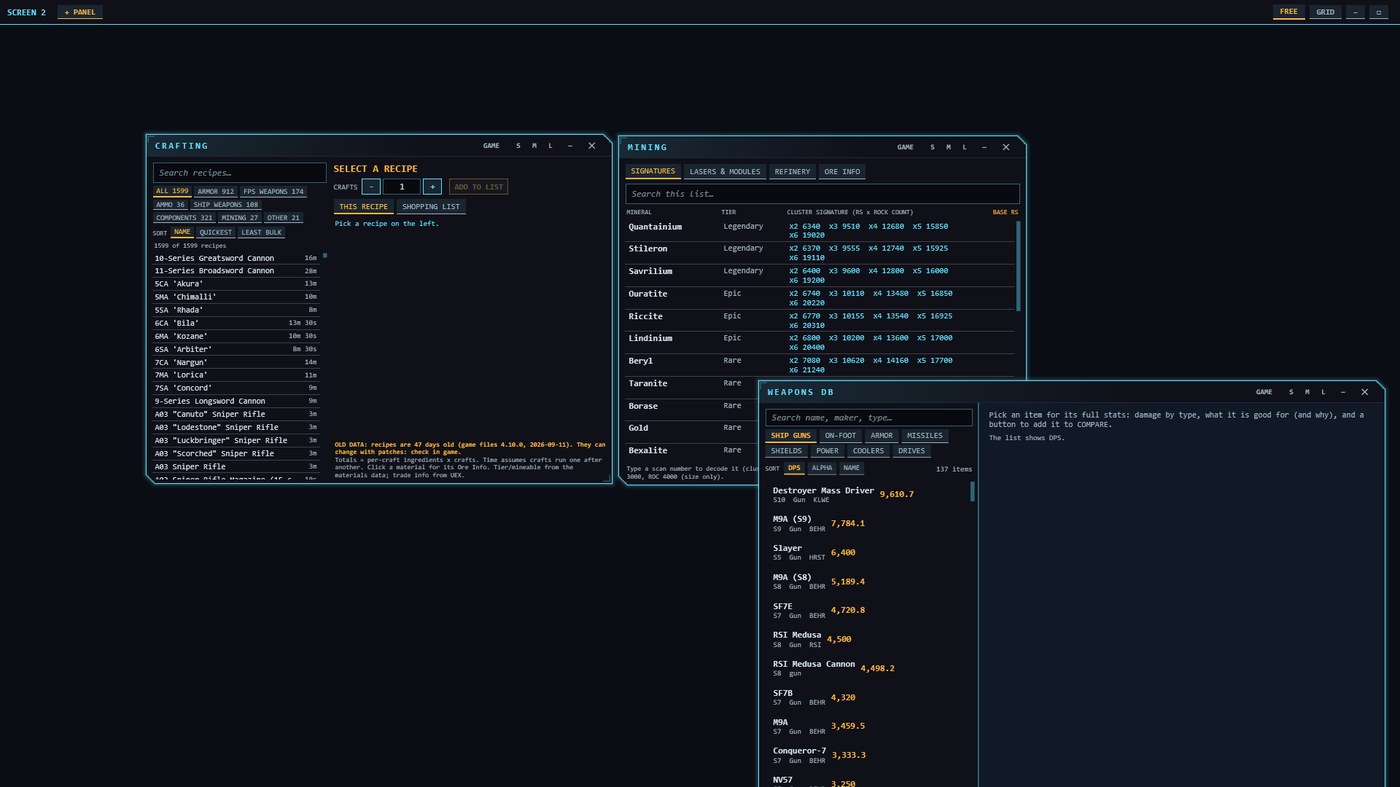
Ships, guns, shields and missions are extracted from Star Citizen’s data files for each patch. Anything we could not read is marked as an estimate on screen.
Most opened over the last 30 days:
Anonymous totals, rounded down. Counted from pilots who leave usage stats on.
It updates itself, so new patch data arrives as an update and a restart is all it takes.
Every ship, weapon, mission and number is free on this website, with no account. The overlay puts those pages on top of Star Citizen. Try all of it free for 14 days; after that the overlay stays free with one open panel at a time and a few tools, and Premium unlocks the rest.
No account, no card, always.
After the 14-day trial, with a pilot account.
Then $2.99 a month or $24.99 a year.
Every ship, weapon, mission and trade route, with no account. Use them on a phone or the PC you play on, then open the overlay when you want them over the game.
It draws a window over the game. It never reads or changes game memory, and it does not inject anything into Star Citizen. We are not affiliated with Cloud Imperium Games.
Play Star Citizen in borderless or windowed mode so the overlay can sit on top of it.
The website data and tools are free. The overlay gives you 14 days of every tool, free, with no card. After that the free tier keeps one open panel at a time with a few tools, and Premium unlocks the rest at $2.99 a month or $24.99 a year.
Yes. Premium lets you move panels onto a second or third monitor, with a free or grid layout, while the game stays on its own screen.
The new overlay is Windows only for now. Linux keeps using the classic overlay, which is in beta. The download page has the details.
Ask questions, share your builds, report problems and tell us what to build next. Every panel has a video guide on YouTube.