Download H.U.D Manager.
An unofficial overlay for Star Citizen. It floats over the game and answers without a tab-out: how long a fight lasts, what a loadout costs, which contract pays, where a trade run is worth it. Every number is read from the game’s own files.
Windows 10 and 11. A signed installer that updates itself. Play Star Citizen in borderless or windowed mode. Free for 14 days, no credit card, and a free tier stays after that.
Unofficial. Not affiliated with Star Citizen or Cloud Imperium Games.
What you get
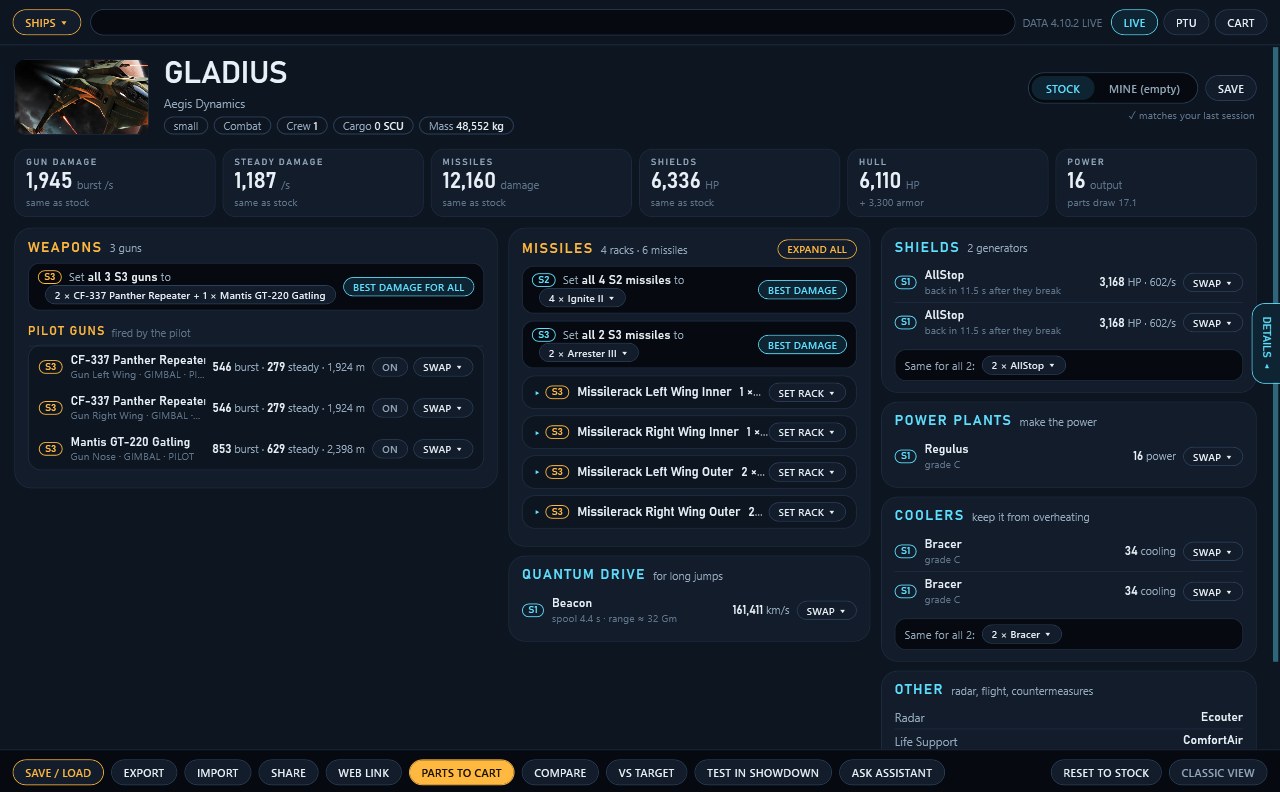
These are real screenshots of the overlay. Open a panel with your menu key, click through it, and it steps aside.
Ship Loadout Bay
Every gun, missile rack, shield, power plant and cooler on screen with a swap button. Totals show what changed from stock, and a details drawer covers damage, defense, hull, flight, power and cargo.
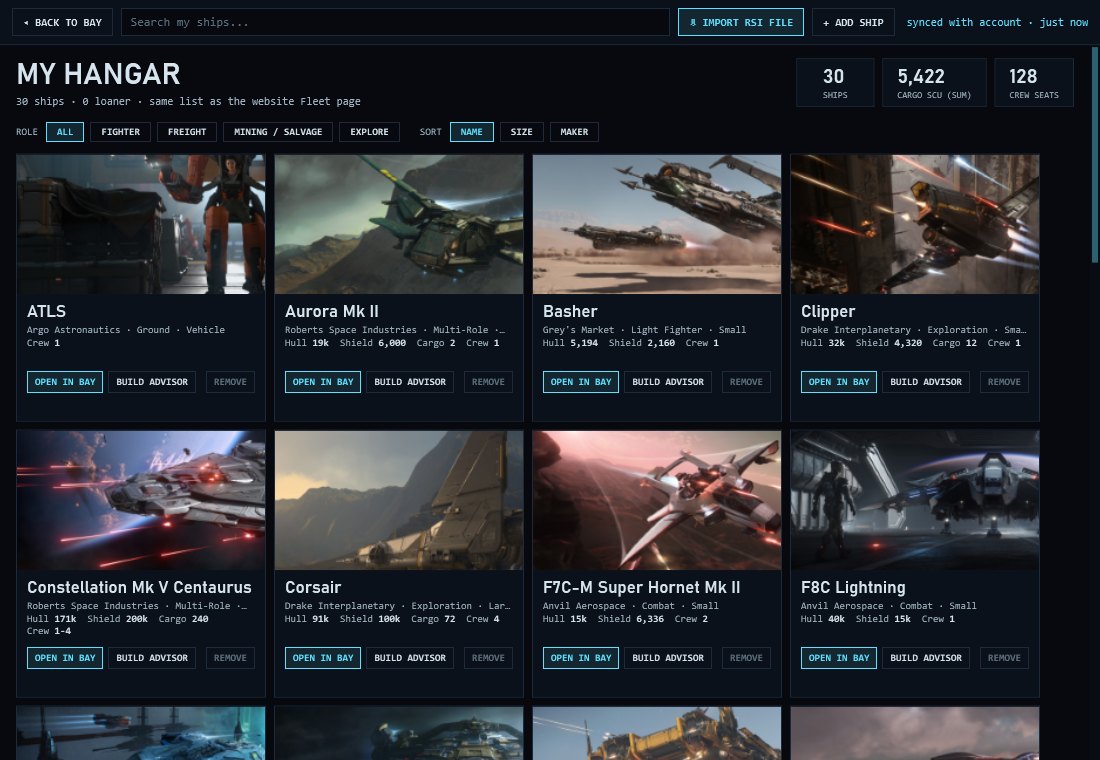
My Hangar
The ships you own as picture cards. Bring them in from the file your RSI account exports, with no RSI login, and open any one in the Bay or the Build Advisor.
Combat Sim and Showdown
How long one ship takes to kill another, and who wins when two ships meet, with shield values from the game files and estimates labelled as estimates.
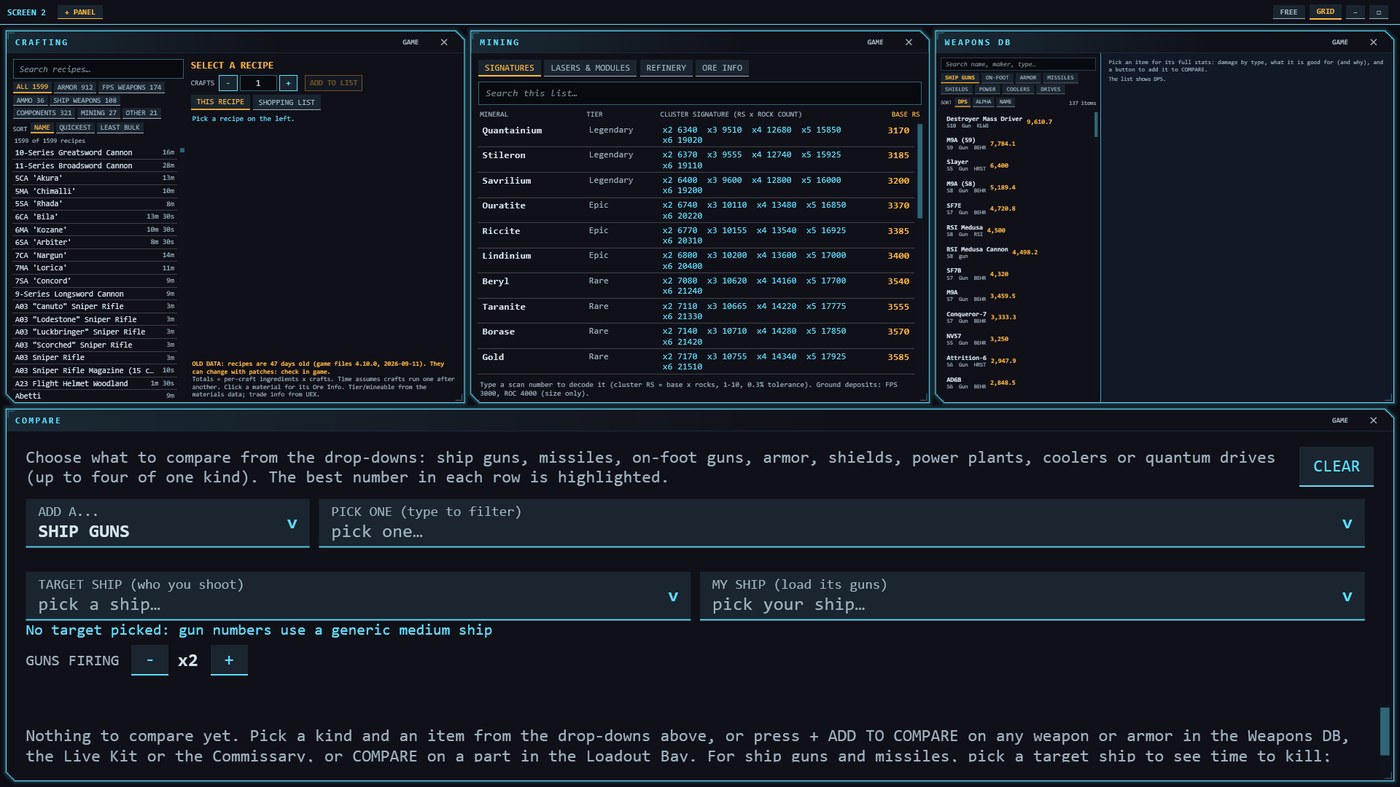
Missions, Wikelo and Crafting
Thousands of contracts to filter by system, pay and legality, every tracked Wikelo contract with its ingredients, and the recipes and sources for what you can craft.
Blueprints and Starmap
A blueprint tracker that ticks blueprints from your game log, and a top-down starmap with distances and quantum travel time.
Voice and a second screen
Say what you want with voice commands, and put panels on a second or third monitor with a free or grid layout. Second screens are a Premium feature, included in the trial.
Set up in under a minute
- Download and run the installerRun
HudManagerOverlay-win-Setup.exe. It is code-signed, publisher Leron Gordon. - Make a free pilot accountThe overlay asks you to sign in with Discord, Google, Microsoft, or a handle and password. That starts your 14-day trial of every tool.
- Press your menu key in the gameRun Star Citizen in borderless or windowed mode. The default menu key is Right Alt, and you can choose another in Settings. Hold it when you want the mouse; let go and the game has it back.
- Pick a toolLoadout Bay, My Hangar, Trade, Media, the Mining scanner and the Pilot Portal stay free. Everything else is free for 14 days, then Premium.
Linux Beta
The new overlay is Windows only for now. Linux keeps using the classic overlay, an AppImage of about 117 MB that works on any distro. It is an early beta: the app, pilot portal, voice co-pilot and the floating in-game overlay work, and a few things are still being polished. After downloading, run chmod +x HUD-Manager-Overlay*.AppImage and then ./HUD-Manager-Overlay*.AppImage.
Questions or ideas? Come and talk to us.
Ask questions, share your builds and tell us what to build next. Every panel has a video guide on YouTube.